Okta provides Single Sign On (SSO) via chiclets to the applications the company uses E.g. NetSuite, OfficeSpace, Box, Benchling, Eat Club etc.
Okta stores the logins for these apps and access is secured via our network login and password.
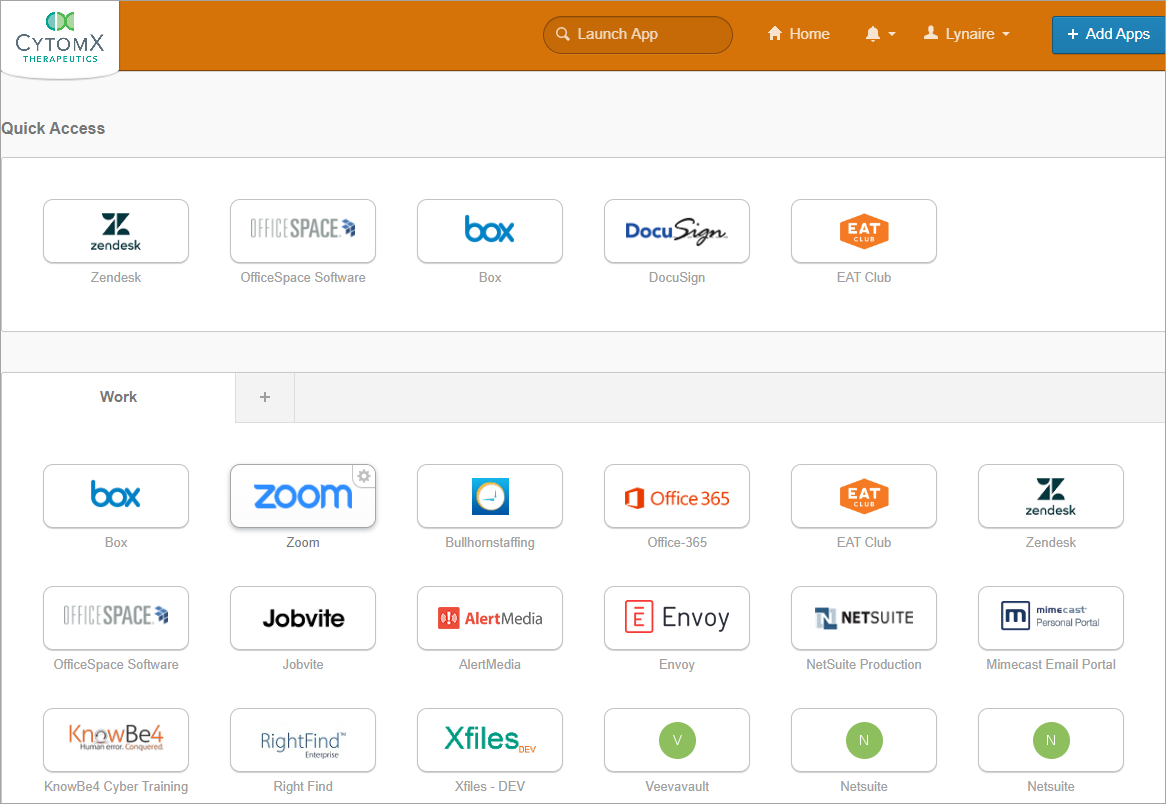
To Access Okta
- Open a web browser.
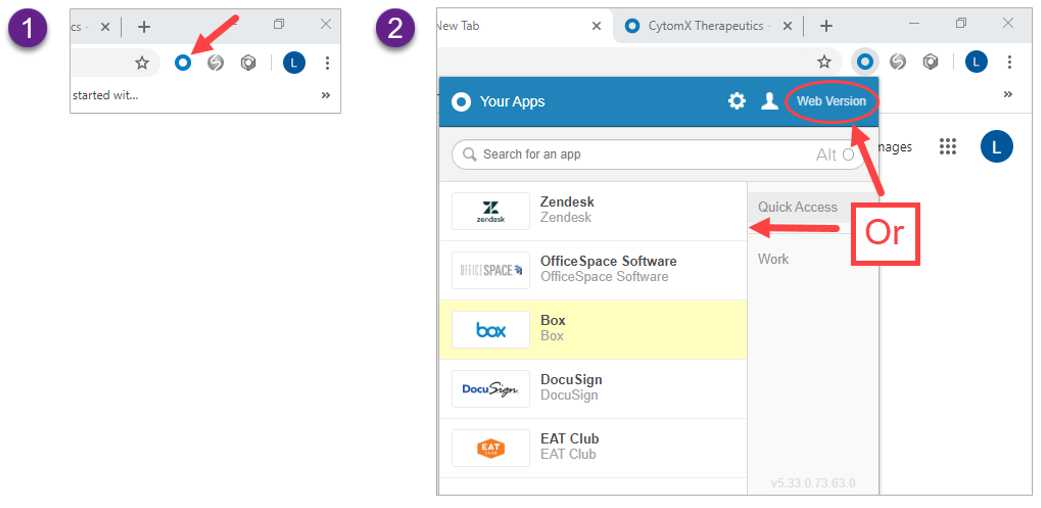
- Click the blue circle on the top, right of the browser to select from your most recently accessed apps or click “Web Version” to see the entire Okta page of apps.
ADP, NetSuite, and PlanSource can be accessed via the chiclets on Okta but they are not SSO enabled. This means you are required to log into these apps each time with the password for that app.
Note, that you must change your password on Okta each time you update your password for ADP, NetSuite and PlanSource. For instructions on how to do that click here.