How to Change Your Password in Netsuite
- Browse to https://cytomx.okta.com/
- Click on the NetSuite chiclet

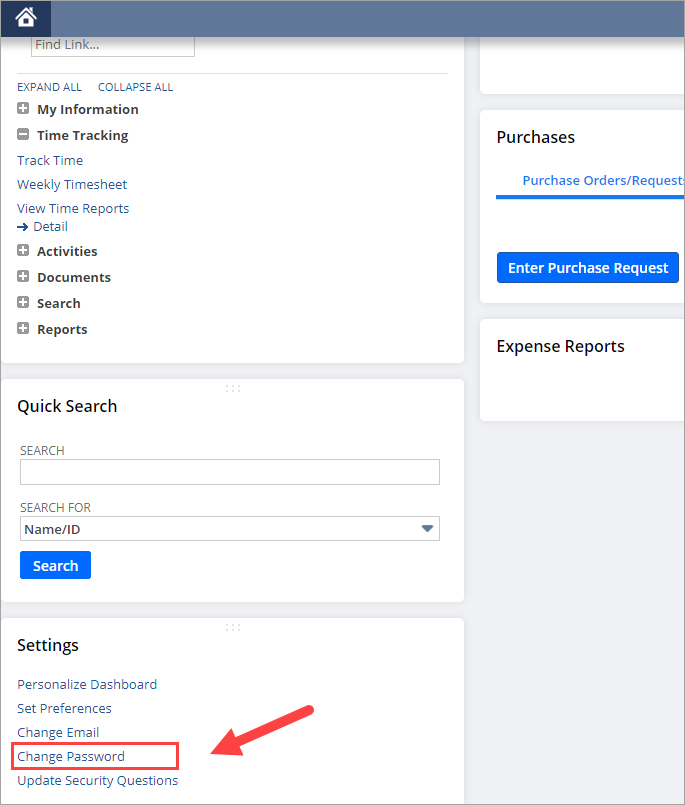
- Click on Change Password, typically on the bottom left
- Enter your current password once and your new password twice (ensure that you meet the password criteria, shown on the right hand side)
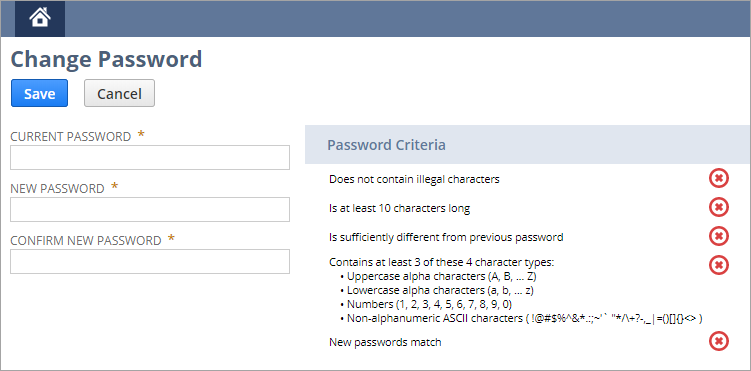
- Click Save
Update Your Password in Okta
- Browse to https://cytomx.okta.com/
- Hover your mouse over the NetSuite chiclet, click the Gear icon within the chiclet

- Click on Update Credentials
- Type in your new password
- Click Save
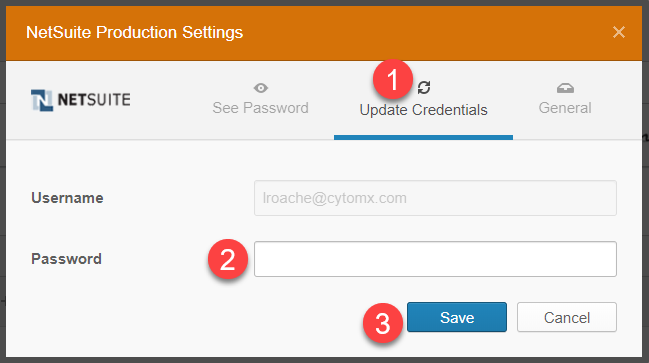
- The next time you click on the NetSuite chiclet, it will be using your newly saved password