Agent and End User
Notes: Installing a new version of FlowJo can be done by installing it, then uninstalling the older version. It will not install over it, it will install it as a new application.
Licensing
You will need to create an account with FlowJo in order to license and use FlowJo software. After you have been invited to join the site license, you will receive an email containing a link which is a variation of "https://cloud.flowjo.com/". Once you create an account and download the software, you will need to change how licensing works – you do not need to install the newly downloaded software yet, this can be done later, read on.
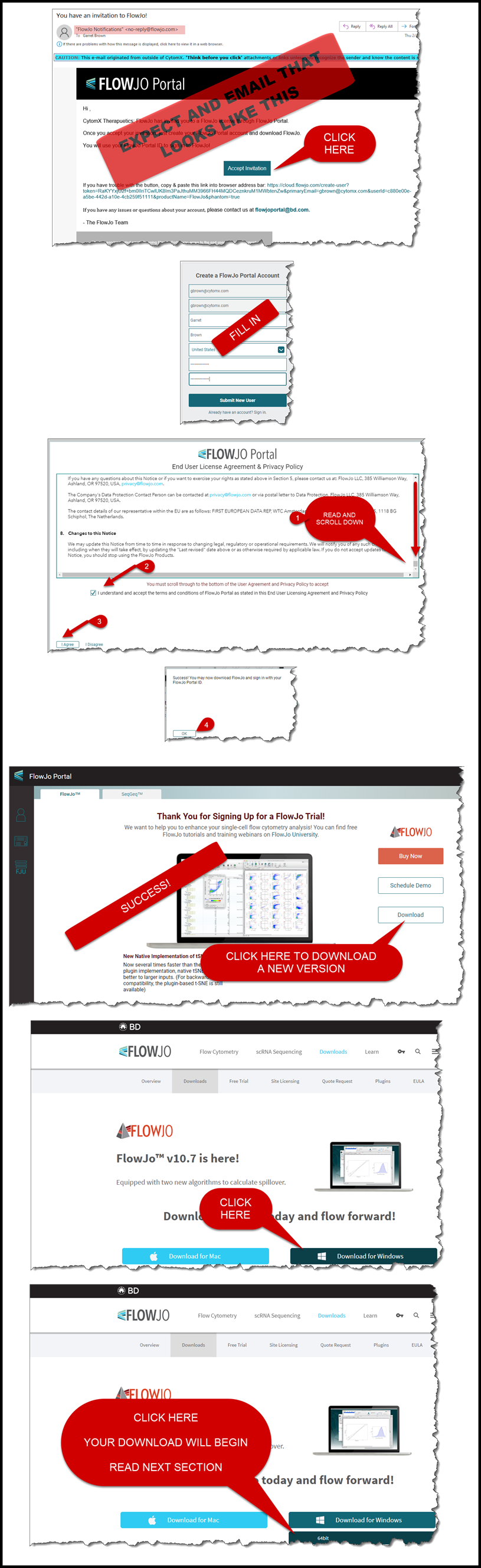
If you already had FlowJo installed, you are likely using a serial number/hardware address. Moving forward, your new account will grant you access to a license. A simple change within your FlowJo software will be needed. Follow these instructions after opening your currently installed FlowJo:
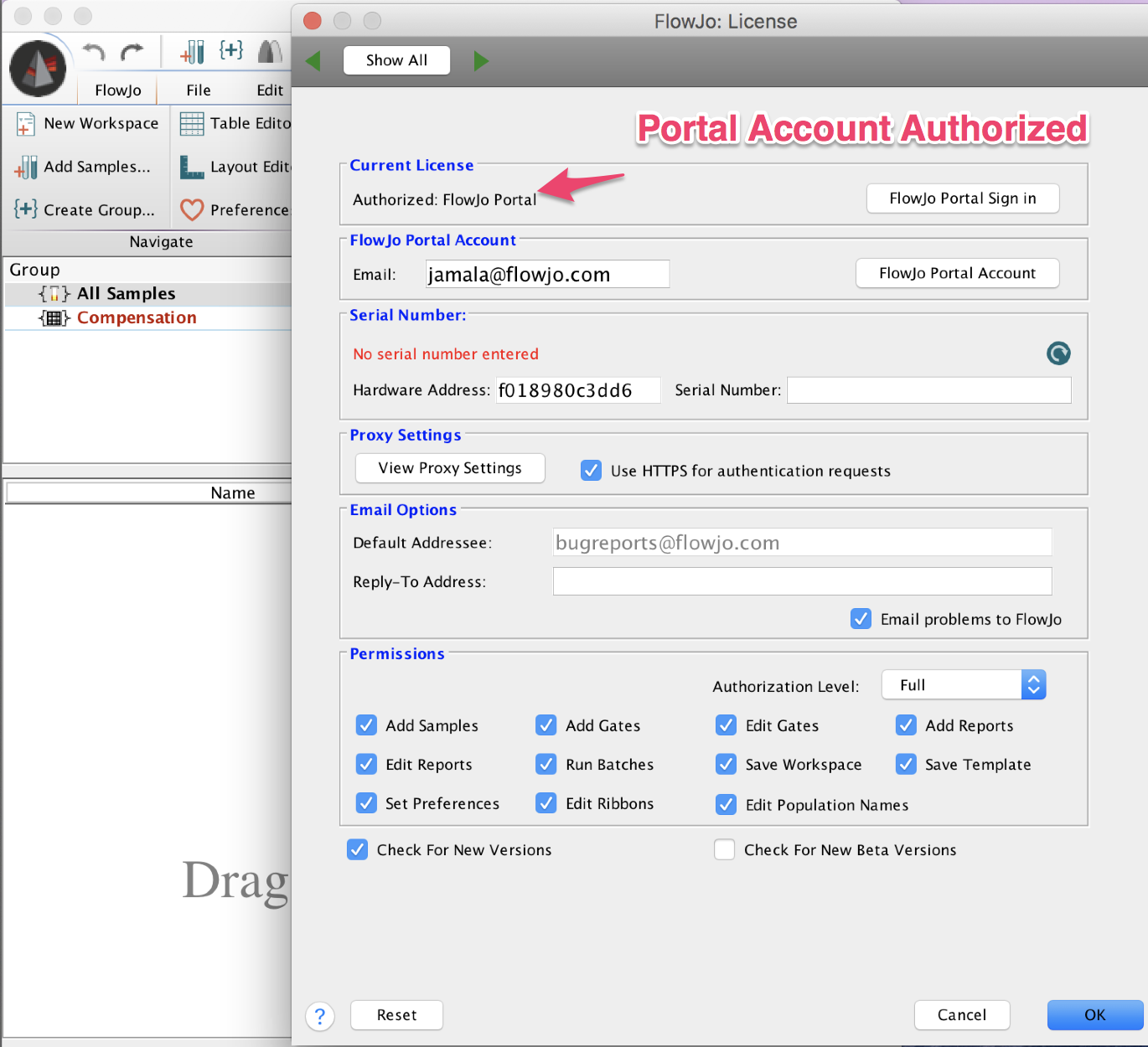
- After you open FlowJo, click the heart (upper right), in the pop up window click Licensing
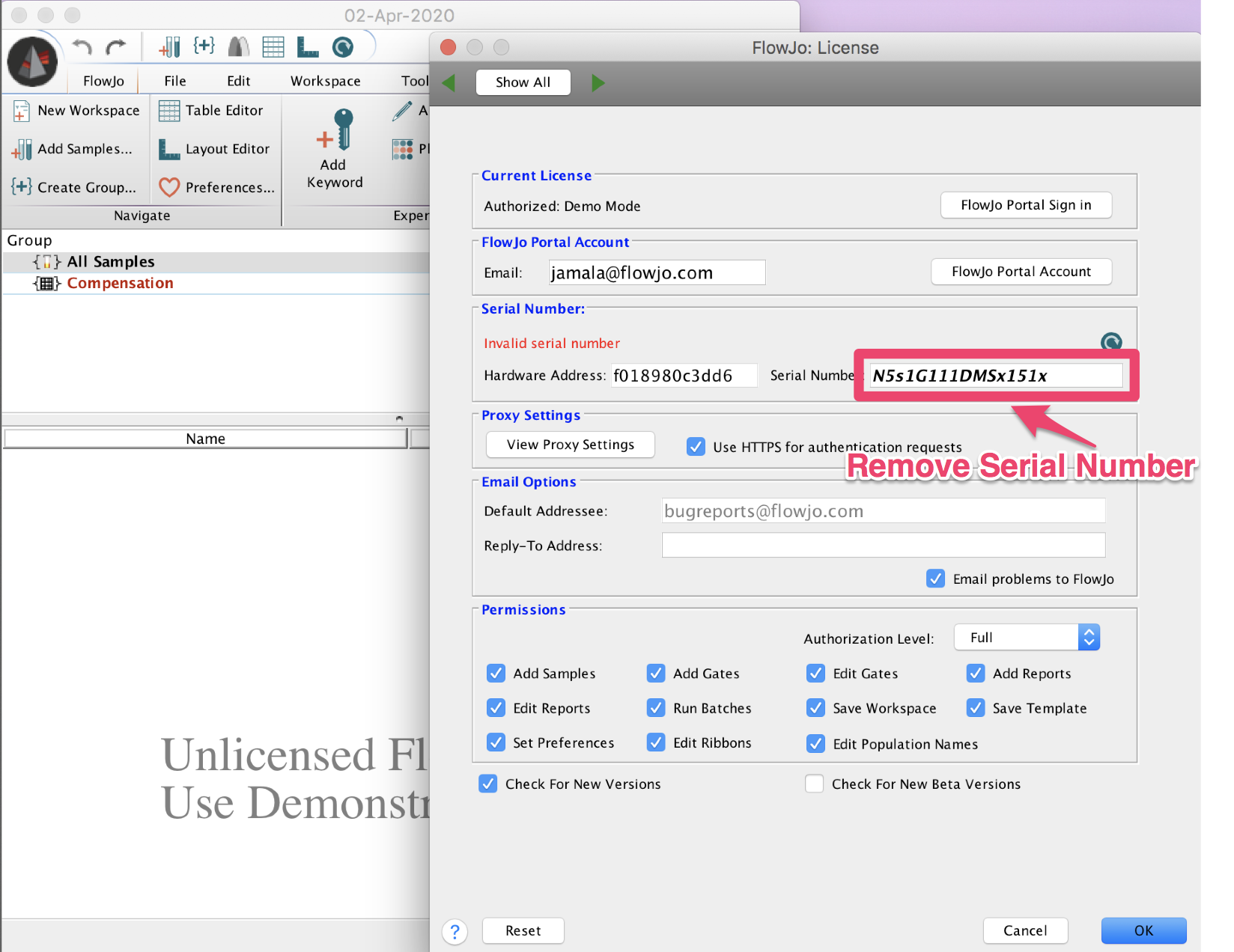
- Remove the serial number from the Licensing Window
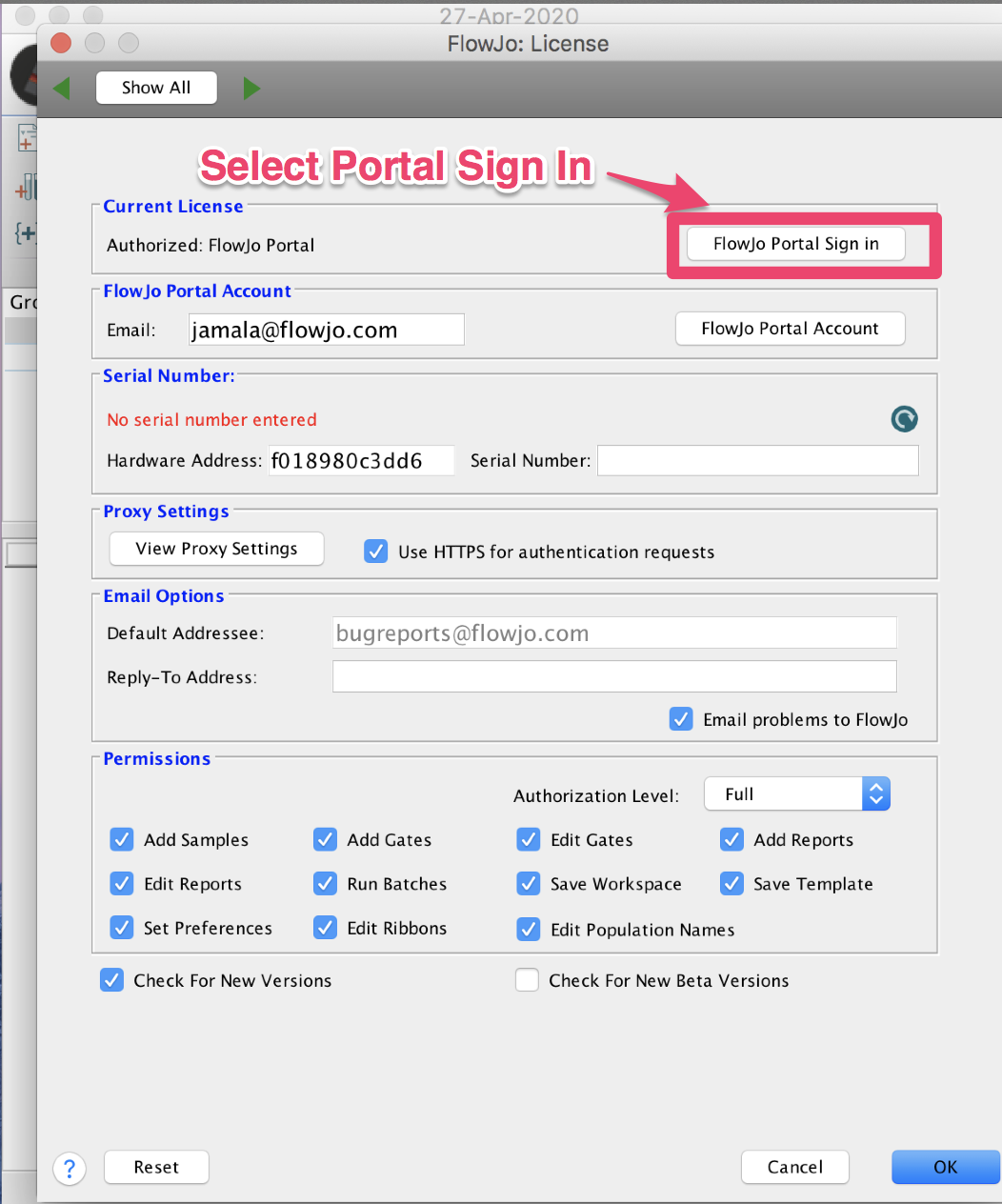
- Select Portal Sign In
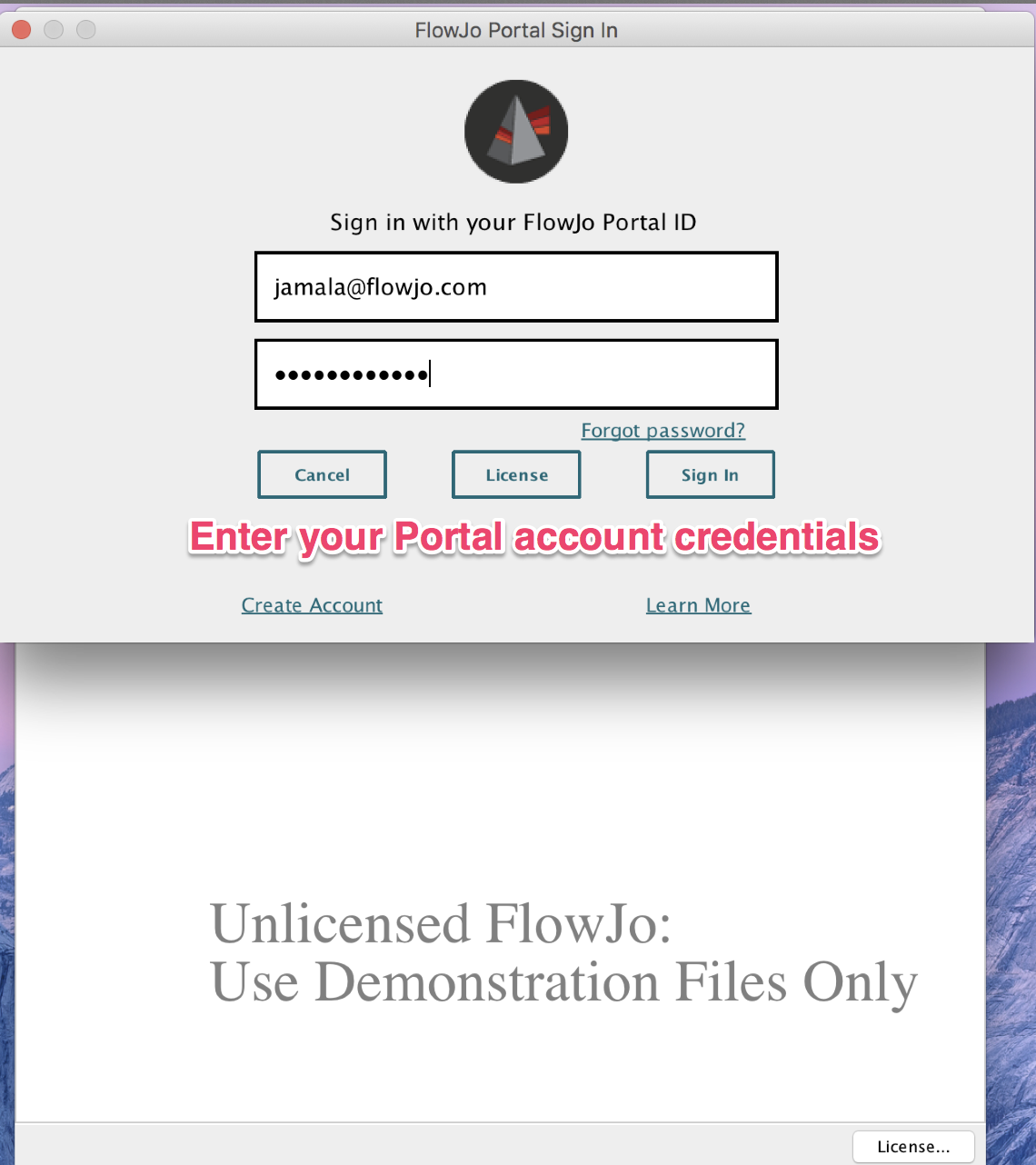
- Enter Portal account credentials
- FlowJo has been Authenticated
Upgrading FlowJo
If you would like to upgrade to the version you downloaded, please do one of the following and remember where you downloaded the upgrade:
- Call the IT Service Desk (650) 383-4111 to have an agent enter the admin credentials for you (6AM – 9PM)
OR
- Setup a 15 minute appointment with Waleed or Garret, at your convenience, to enter the admin credentials for you (8 AM – 5 PM)