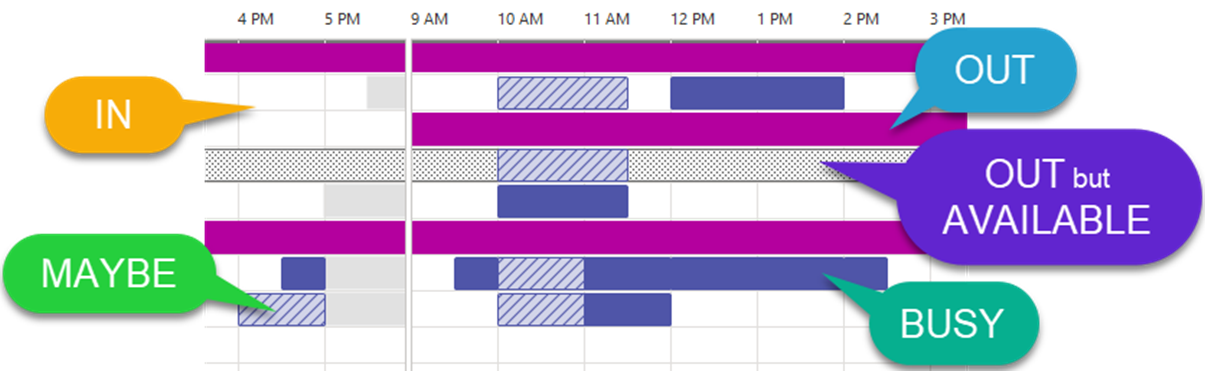
Mark your calendar to let your colleagues know if you are busy, out of the office or working elsewhere. It enables your colleagues to set meetings accurately and know your availability.
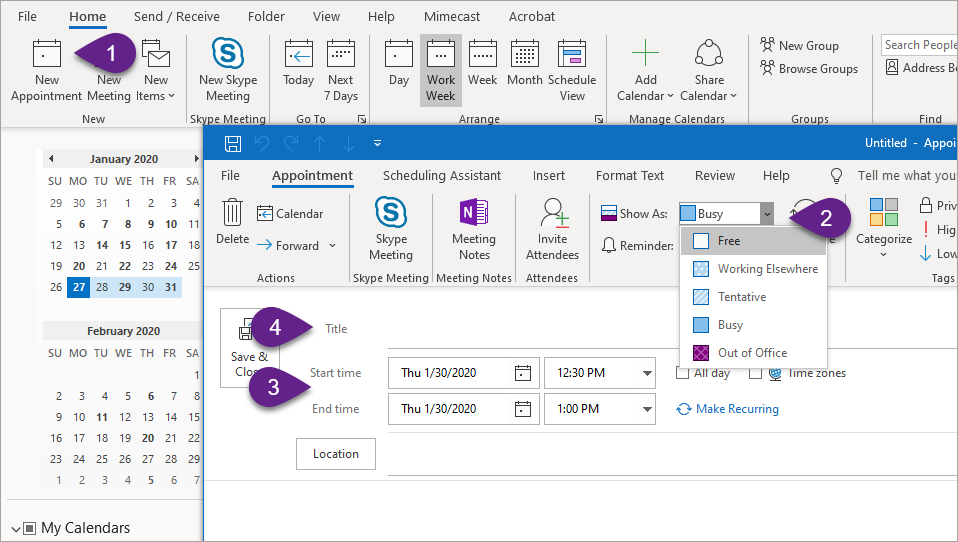
- Create a new appointment
- In Show As mark the time appropriately (Free, Working Elsewhere, Tentative, Busy, Out of Office)
- Check the date and time
- Add a title
Bonus tip!
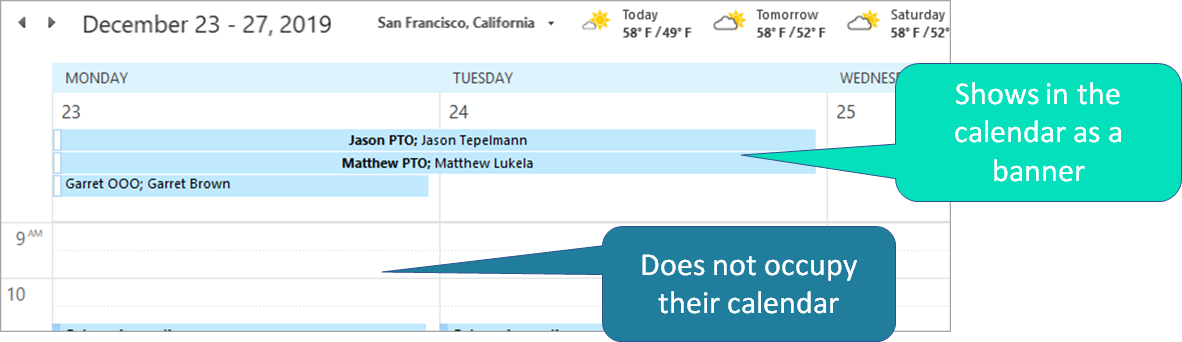
To remind your team of your vacation/time out of the office, send them an All Day Event. An All Day Event displays at the top of their calendar as a reminder but does not take up their calendar time.
How to Create an All Day Event
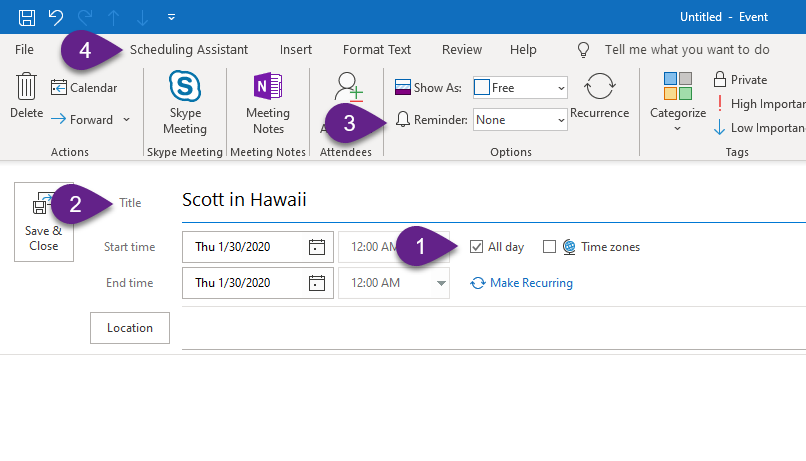
- Open a calendar appointment and check All Day in the time section and select the duration of the event in the Start and End times if longer than one day
- Give your All day event a title that will mean something to your colleagues
- Unless the recipients need a reminder, select None for the Reminder in the Options section
- Add the attendees to your All Day event which in this case are any team members who need the reminder of your day/s out of the office